
Connected Event Journey
Your events should work everywhere your guests are.
KUEVY connects your website calendar, ticketing, venue app, push notifications and TV screens so guests can move from discovery to purchase—and stay connected to your venue.
- Website
- Ticketing
- Venue App
- Venue Screens
- Next Visit
Website calendar
Your calendar should do more than list dates.
Give guests the artwork, times and next step they need to plan their night.
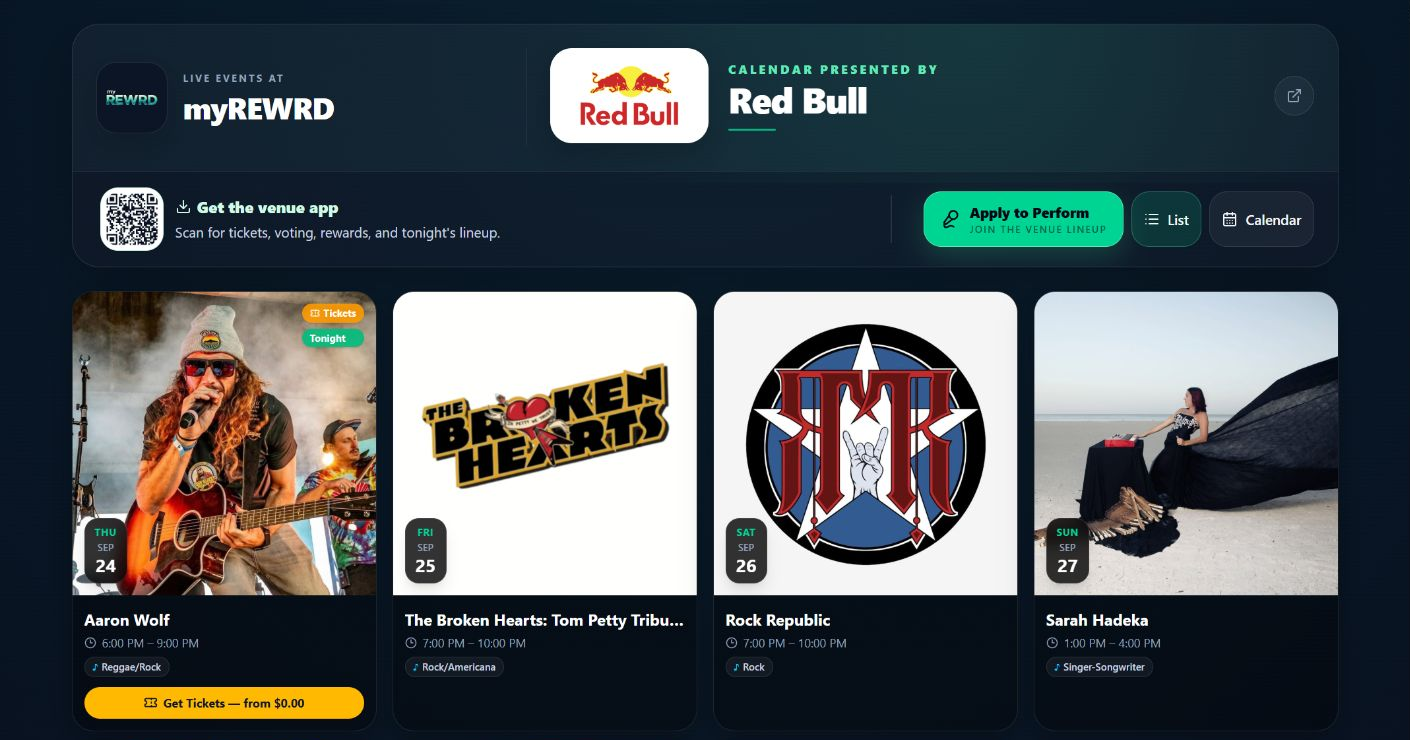
Your public calendar stays connected to the event your team manages.
Show artwork, time, event details and ticket status.
Tickets, app, artist details and venue information stay attached to the event.
Place approved sponsors where guests are already planning their night.
Website ticketing
Sell the event from your own website.
Guests can discover the show, choose tickets and continue into the exact event in your venue app—without losing the venue relationship along the way.
- Your venue stays the storefront.
- The exact event carries into the venue app.
- The ticket stays in the app, with email backup.
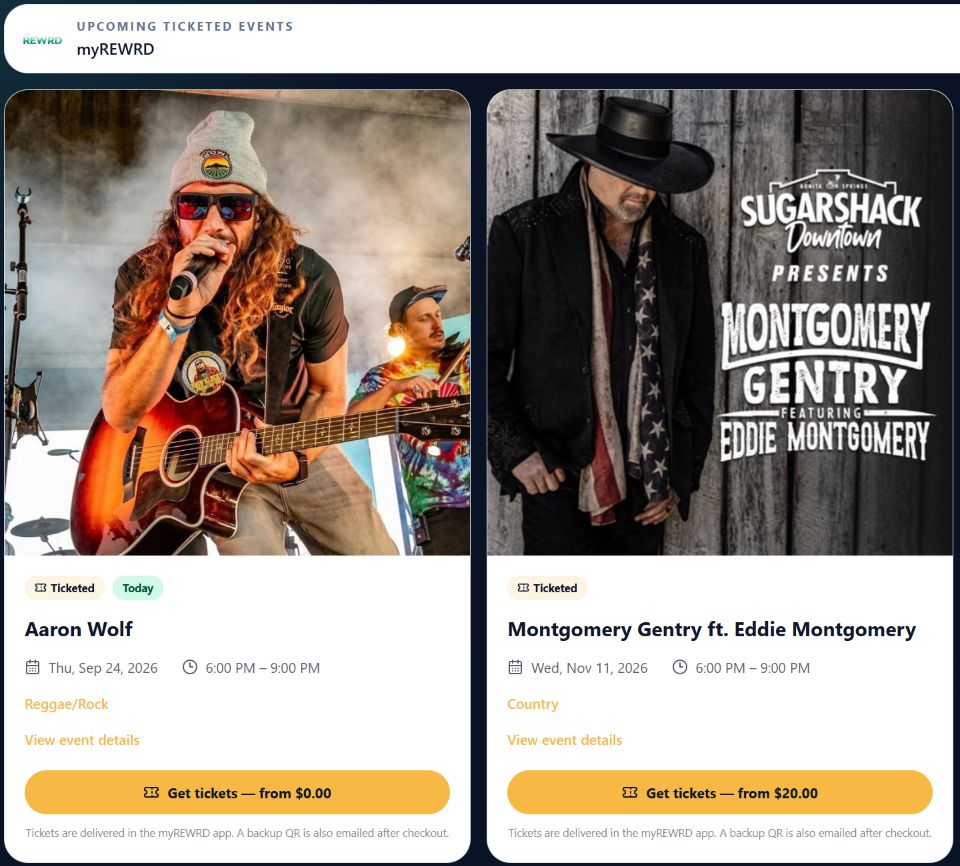
Website → Venue App
The ticket journey stays with your venue.
Guests can start on your website and continue into the exact event in your venue app. After purchase, the ticket stays there—with the emailed QR as backup.
From your website
Guest finds the event and chooses tickets.
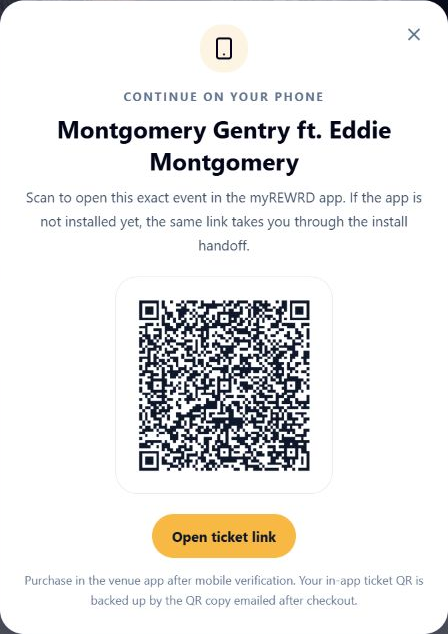
Into your venue app
The exact event opens in the venue app, where the ticket stays after purchase.
Bring them back
Put the next night within reach.
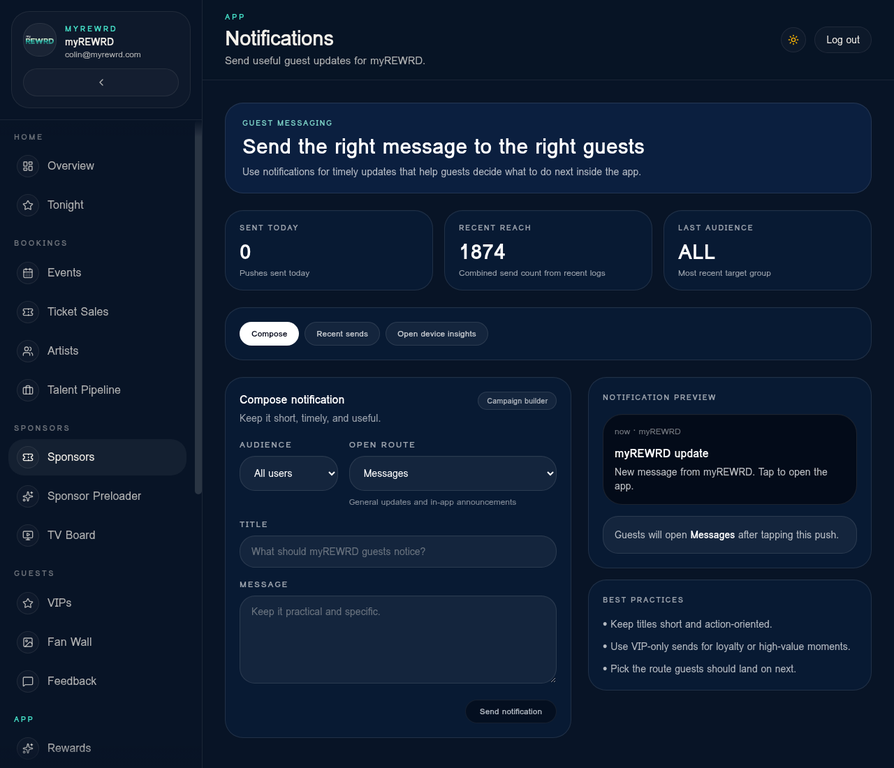
Reach guests who already have the venue app and bring them back to a relevant event with a direct next step.
The venue team uses this composer to prepare a notification before sending it.
Convert the room
Turn the room into the next ticket sale.
Promote the next ticketed event on the screens guests are already looking at, with a QR that can open the exact event in the venue app.
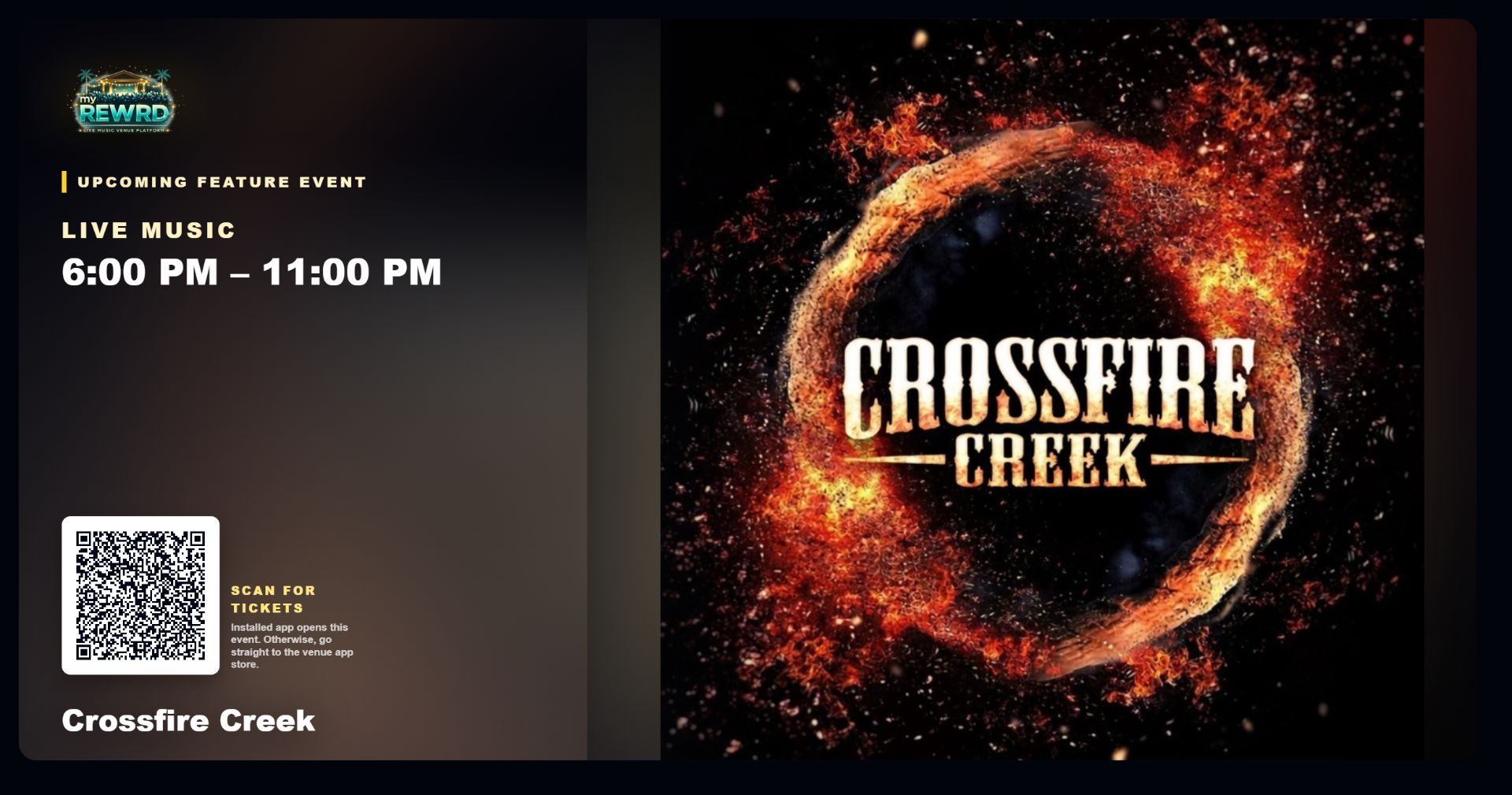
Scan → exact event in the venue app → buy and keep the ticket
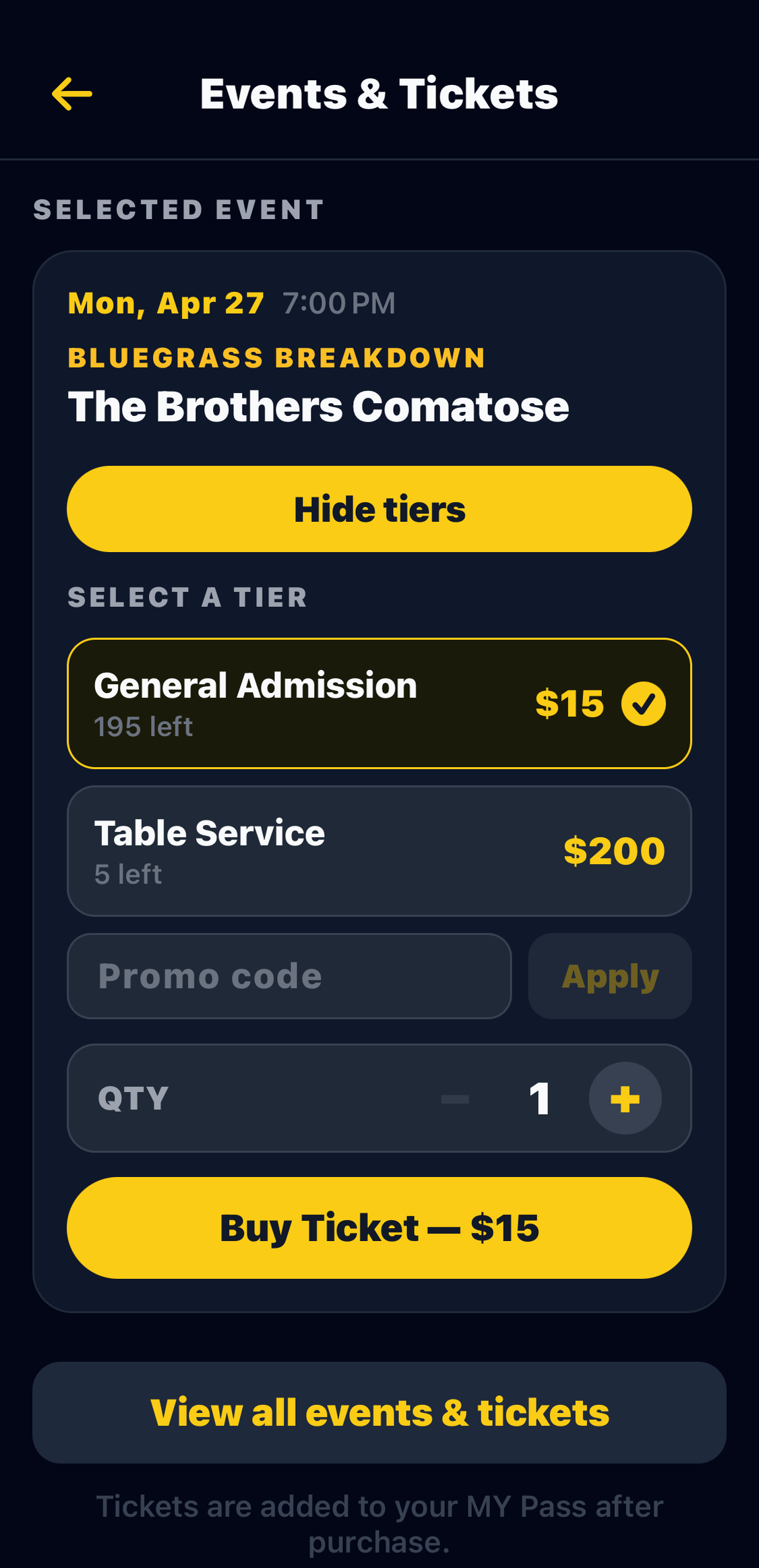
Keep it in their pocket
Keep the event, ticket and next visit in the venue’s app.
The website starts the ticket journey. The venue app keeps it.
Guests can complete the ticket flow, keep the ticket in the app and remain connected to rewards, future events and venue communication.
Keep the night connected
Less rebuilding. More connection.
A disconnected event
- Calendar updated separately
- Ticket link goes somewhere else
- TV becomes another manual task
- Guest relationship ends at checkout
A connected KUEVY event
- Event details feed the guest-facing surfaces
- Ticketing stays connected to the venue
- Website, app and TVs work together
- The venue keeps the guest relationship
You already have the guest’s attention. Keep the relationship with your venue.
See how KUEVY connects your events to the website, app and screens your guests already use.